
SIM Numbers Are Being Silently Linked to Every Google Account on Android Phones — and How to Stop It
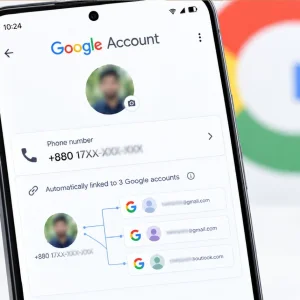
Google has been accused of silently linking SIM card numbers, through automatic verification, to every Google account signed in on an Android device for more than a year. Under the system, the phone number is added not only to personal accounts but also to work and secondary accounts signed in on the device. Because the process runs without the user's explicit permission, concerns have been raised about the privacy of personal information.
According to Google's support page, the phone number verification takes place automatically during the initial setup of an Android phone. The number is added to accounts already signed in as well as to accounts added later. Even if the SIM card is changed and a new number is used, that number too is linked to the Google accounts signed in on the device. Google and mobile operators may also re-verify the number periodically.
Users raised concerns after receiving emails from Google about the automatic phone number verification. According to Google Play Services change information, the automatic activation of the verification system was recorded around September 8, 2025. Changes to Google's support page on the matter were made between August and October of the same year.
In Google's explanation, the system keeps active such features as signing in with a phone number, account recovery, finding a lost device and identifying location in emergencies. The phone number may also be used for RCS (Rich Communication Services) messaging and video calls, and for features such as Quick Share. Users, however, question the need to link the number to every account on the same device.
Users who wish to can turn the feature off. From the Android phone's settings, going to Google, then All Services, then Phone Number Verification, the automatic phone number verification can be switched off. The name or position of the menu may differ slightly depending on the phone model and Android version.
Turning off automatic verification, however, will not remove numbers already linked from every account. To remove them, each Google account must be opened separately, going to Manage Your Google Account, then Personal Info, then the Phone section. The linked phone number there can be checked and removed if necessary. If the phone has multiple accounts, each must be checked the same way.
Turning off automatic number verification may affect some features such as account recovery and RCS messaging. Before changing the settings, it is therefore advisable to check whether an alternative phone number or another method has been added for account recovery.